Our Official Verdict
Anything to Anywhere: The Power of Uphold Mastercard
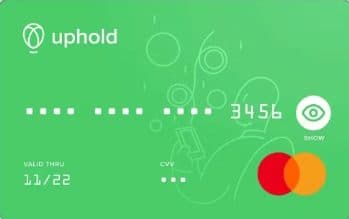
A versatile Mastercard that allows for the instant liquidation of any asset in your Uphold account. It features Free annual fees and is particularly valued for its 0% foreign transaction fee policy, making it a top choice for travelers.
Overview
The standard Uphold Mastercard. Spend crypto, metals, and fiat with zero FX fees and earn rewards.
Fees & Charges
Annual Fee
Free
FX Fee
0%
ATM Fee
0%
Requirements
Supported Regions
US, UK
Spendable Assets
BTC, ETH, XRP, USDC, USDT, GOLD, SILVER, GBP, USD
Uphold Mastercard Debit Review
The Uphold Mastercard Debit is a physical and virtual card that enables instant spending from your Uphold wallet balance across 250+ assets including cryptocurrencies, precious metals, and fiat currencies with zero foreign exchange markups.
Your Multi-Asset Wallet Becomes Globally Spendable
The Uphold Mastercard Debit transforms your Uphold wallet into a spending account that works at 90M+ Mastercard merchants worldwide. Unlike traditional crypto cards that force you to pre-select a funding asset, Uphold lets you switch between BTC, ETH, Gold, USD, GBP, and 245+ other assets instantly - even mid-transaction - to optimize your spending strategy in real-time.
What this means practically: You're at checkout. Your card defaults to spending USDC, but you notice Gold just spiked 2%. You open the Uphold app, switch funding source to Gold in 3 seconds, tap to pay. You've just taken profits on Gold without the multi-step process of selling to fiat, withdrawing to bank, and then spending.
Card Specs: Virtual vs Physical
Virtual Card (Instant Issuance)
- Issuance time: Instant (appears in app upon approval)
- Availability: Immediate after identity verification (10-30 minutes for most users)
- Format: 16-digit card number + CVV + expiration displayed in Uphold app
- Mobile wallet support: Apple Pay, Google Pay (instant integration)
- Security: Virtual card numbers can be regenerated monthly for subscription protection
- Spending start: Immediate (fund wallet and spend)
Best for: Testing Uphold before ordering physical, online purchases, instant mobile wallet payments
Physical Card (Optional, Free)
- Issuance time: 7-12 business days (US), 10-15 business days (UK)
- Shipping fee: $0 (free standard shipping)
- Design: Black matte finish with Uphold logo, no visible card numbers (privacy-focused)
- Material: Recycled PVC (2026 sustainability initiative)
- Contactless limit: $100 (adjustable to $250 in app settings)
- PIN delivery: Separate letter (3-5 days after card arrival)
Best for: In-person merchants, backup for mobile wallet failures, ATM withdrawals (limited use)
Mastercard Network Features
- Network: Mastercard debit (World tier)
- Acceptance: 90M+ merchants globally (Mastercard has slightly lower acceptance than Visa in some regions)
- Contactless: NFC-enabled (instant tap-to-pay)
- 3D Secure 2: Required for online purchases over $50
- Transaction alerts: Real-time push notifications (2-3 seconds after payment)
- Freeze/unfreeze: Instant toggle in app
- Card replacement: Free if lost/stolen (express shipping $25 optional)
How to Get Started: The 5-Step Setup
Step 1: Create Uphold Account (US or UK Residence Required)
Availability:
- ✅ United States (all 50 states + DC)
- ✅ United Kingdom
- ❌ European Economic Area (EEA) - Not currently supported for card
- ❌ Rest of world
Account creation:
- Download Uphold app (iOS/Android) or visit uphold.com
- Sign up with email + password
- Accept terms and conditions
- Initial account created (can browse, but can't transact yet)
Step 2: Complete Identity Verification (KYC)
Required documents:
- US users:
- Government-issued photo ID (driver's license, passport, state ID)
- Social Security Number (SSN)
- Residential address verification (utility bill, bank statement under 90 days)
- UK users:
- Government-issued photo ID (passport, driver's license, national ID)
- Proof of address (council tax bill, utility bill, bank statement under 90 days)
Verification process:
- Upload ID via app (scan front/back)
- Take selfie for facial recognition match
- Enter SSN (US) or National Insurance number (UK)
- Upload proof of address
- Wait for approval (10-60 minutes typical, 24-48 hours max)
Approval rates: ~90% for US users, ~85% for UK users (based on 2025 data)
Step 3: Apply for Uphold Mastercard
Application location: Uphold app → Cards → Apply for Mastercard
Application steps:
- Confirm residential address (must match KYC documents)
- Agree to card terms and conditions
- Choose virtual-only or virtual + physical
- Submit application
- Instant approval for verified accounts (5-10 seconds)
Eligibility:
- ✅ Identity verification complete
- ✅ No account restrictions or compliance flags
- ✅ Minimum $10 wallet balance
Step 4: Fund Your Uphold Wallet
Funding methods:
US users:
- ACH bank transfer (3-5 business days, $0 fee)
- Debit card deposit (instant, 3.99% fee)
- Wire transfer (1-2 business days, $5 fee)
- Crypto deposit (external wallet → Uphold, network fee only)
UK users:
- Faster Payments (instant, £0 fee) ← Recommended
- Debit card deposit (instant, 3.99% fee)
- SWIFT transfer (1-3 business days, £5 fee)
- Crypto deposit (external wallet → Uphold, network fee only)
Pro tip: Use ACH (US) or Faster Payments (UK) for zero-fee deposits. Avoid debit card deposits (3.99% fee eats into cashback).
Step 5: Set Asset Spending Priority
Why this matters: When you tap the card, Uphold needs to know which asset to debit. You control this via spending priority order.
How to configure:
- Uphold app → Cards → Mastercard Debit → Card Settings
- Tap "Spending Priority"
- Drag assets into preferred order (top = first used)
Optimal priority for cost-efficiency:
- USDC/USDT (0.5-0.7% spread - tightest)
- USD/GBP (0% spread on domestic, 0% FX on international)
- XRP/LTC (0.8-1.0% spread - lower than BTC/ETH)
- BTC/ETH (1.0-1.2% spread)
- Altcoins (1.5-2.5% spread)
- Precious metals (2.0-3.0% spread - highest)
Why this order saves money:
- Annual spending: $24,000
- If you prioritize BTC (1.1% spread): $24,000 × 1.1% = $264/year cost
- If you prioritize USDC (0.6% spread): $24,000 × 0.6% = $144/year cost
- Savings: $120/year by optimizing asset priority
Asset Switching: Real-Time Spending Control
Unique Uphold feature: Switch funding source instantly, even during a transaction.
How to Switch Mid-Transaction
Scenario: You're at a London restaurant, bill is £85, you initially set card to spend USD.
Step 1: Open Uphold app while waiting for check Step 2: App → Cards → Mastercard → Card Settings → Spending Priority Step 3: Drag GBP to top position (now card will spend GBP first) Step 4: Tap to pay £85 (debits GBP, no USD → GBP conversion needed) Result: Saved 0.5-0.8% FX markup that would've applied to USD → GBP conversion
Why this matters:
- Without switching: USD → GBP via Mastercard network (0.8% markup on some cards) = £0.68 cost
- With switching: GBP → GBP (0% conversion) = £0 cost
- Annual savings (£12K international spend): £82/year
Strategic Asset Switching
Taking profits on winners:
- You hold $5,000 in XRP
- XRP pumps 30% → Now worth $6,500
- Switch card priority to XRP, spend $2,000 via card over 2 months
- You've taken profits without selling on exchange, withdrawing to bank, then re-funding card
Spending from losers (tax-loss harvesting):
- You hold $10,000 in Bitcoin bought at $105K (now worth $8,000 at $84K BTC price)
- Switch card to BTC, spend $3,000 via card
- You realize a capital loss (US: deductible against gains, UK: same-day rule applies)
- Consult tax advisor for your jurisdiction
Spending Limits: Standard vs Enhanced Tiers
Standard Tier (Basic KYC Complete)
| Limit Type | Amount (US) | Amount (UK) | Notes |
|---|---|---|---|
| Daily spending | $2,500 | £2,000 | Resets midnight UTC |
| Monthly spending | $10,000 | £8,000 | Per calendar month |
| Annual spending | $50,000 | £40,000 | Per calendar year |
| Daily ATM | $500 | £400 | Operator fees apply |
| Single transaction | $2,500 | £2,000 | Merchant may have lower limits |
Enhanced Tier (Additional Verification)
| Limit Type | Amount (US) | Amount (UK) | Notes |
|---|---|---|---|
| Daily spending | $5,000 | £4,000 | +100% vs Standard |
| Monthly spending | $25,000 | £20,000 | +150% vs Standard |
| Annual spending | $100,000 | £80,000 | +100% vs Standard |
| Daily ATM | $1,000 | £800 | +100% vs Standard |
| Single transaction | $5,000 | £4,000 | Higher for luxury purchases |
How to unlock Enhanced tier:
- Uphold app → Settings → Account Limits → Request Enhanced Verification
- Upload proof of income (pay stub, tax return, employment letter)
- Schedule video verification call (5-10 minutes)
- Processing: 1-3 business days
- Limits automatically increased upon approval
Mobile Wallet Integration
Apple Pay Setup (US & UK)
- Open Uphold app → Cards → Mastercard → Add to Apple Wallet
- Verify via SMS code (sent to registered phone number)
- Accept Apple Pay terms
- Card appears in Apple Wallet within 15 seconds
Using Apple Pay:
- Double-click side button (iPhone X+) or double-click Home (older models)
- Authenticate with Face ID/Touch ID
- Hold near contactless reader
- Transaction completes in 1-2 seconds
- Push notification from Uphold app arrives 3-5 seconds later
Pro tip: Apple Pay uses the spending priority you set in Uphold app. Change priority before paying if needed.
Google Pay Setup (US & UK)
- Open Google Pay app → Add card
- Select "Add a debit or credit card"
- Scan Uphold Mastercard (physical) or enter details manually (virtual)
- Verify via SMS code from Uphold
- Card appears in Google Pay instantly
Using Google Pay:
- Unlock Android phone (NFC automatically activates)
- Hold near contactless reader
- No need to open Google Pay app
- Transaction completes instantly
- Uphold app push notification arrives 2-3 seconds later
Transaction Flow: How a Purchase Actually Works
Example: $125 dinner at New York restaurant (US user spending crypto)
Your setup:
- Uphold wallet: $3,000 USDC + 0.05 BTC (~$4,900) + $500 XRP
- Spending priority: USDC → BTC → XRP
- Card set to Apple Pay
Step 1: You double-click iPhone side button, authenticate with Face ID
- Apple Pay activates Uphold Mastercard
- Hold phone near contactless reader
Step 2: Mastercard network sends authorization request to Uphold
- Required amount: $125
- Uphold checks: USDC balance ≥ $125? ✅
- Authorization approved (1-2 seconds)
Step 3: Uphold debits USDC from your wallet
- Required: $125
- Conversion: $125 ÷ (USDC/USD rate - 0.6% spread)
- USDC debited: $125.75 (includes 0.6% spread)
- Conversion time: Instant
Step 4: Mastercard settles $125 to merchant
- Merchant receives $125 in their USD bank account (1-3 business days)
- Your Uphold wallet shows: -$125.75 USDC
Step 5: Uphold calculates cashback (if promo active - assume 4% XRP promo)
- Eligible spend: $125
- Cashback rate: 4%
- XRP earned: $5 equivalent in XRP
- Credited: Around 5th of following month to Uphold wallet
Total cost to you:
- Spend: $125.75 (includes 0.6% conversion spread)
- Cashback: -$5 (received as XRP)
- Net cost: $120.75 = 3.4% effective discount
Timeframe: Purchase to cashback receipt = 4-6 weeks
International Travel: FX Savings Strategies
Uphold's killer feature: 0% FX fee (genuine zero markup)
Strategy 1: Pre-Convert to Local Currency
Scenario: US user traveling to Japan for 2 weeks, expecting to spend $3,000.
Step 1 (Before departure):
- Uphold app → Transact → Convert
- From: USD
- To: JPY
- Amount: $3,000
- Confirm (conversion at mid-market rate, no fee)
- You now hold ~¥465,000 JPY in Uphold wallet
Step 2 (In Japan):
- Uphold app → Cards → Spending Priority → Drag JPY to top
- Spend via card in Japan (all transactions debit JPY)
- Result: 0% FX fee since it's JPY → JPY spending
Total cost: $0 in FX fees
Comparison to competitors:
- Traditional bank card: $3,000 × 3% = $90 FX fee
- Crypto.com card: $3,000 × 0.6% hidden = $18 FX fee
- Uphold: $0
Savings: $90 vs bank, $18 vs other crypto cards
Strategy 2: Multi-Currency Wallet for Digital Nomads
Scenario: Digital nomad spending across 5 countries in 6 months.
Setup:
- Hold USD, EUR, GBP, JPY, THB in Uphold wallet
- Convert monthly income (say, $4,000/month) to currencies proportional to expected spending:
- $1,500 → EUR (France/Spain)
- $1,000 → GBP (UK)
- $800 → JPY (Japan)
- $700 → THB (Thailand)
When spending:
- In France: Card priority set to EUR → 0% FX
- In UK: Switch to GBP → 0% FX
- In Japan: Switch to JPY → 0% FX
- In Thailand: Switch to THB → 0% FX
Annual savings (6 months international, $24K total spend):
- Traditional bank: $24,000 × 3% = $720
- Other crypto cards: $24,000 × 0.6% = $144
- Uphold: $0
Net savings: $720/year vs banks, $144/year vs other crypto cards
Precious Metals Spending: The Gold/Silver Liquidity Hack
Unique Uphold feature: Spend from Gold/Silver holdings directly.
How to Spend Gold
Scenario: You hold $20,000 in Gold (XAU) on Uphold as inflation hedge.
Step 1: Set Gold as spending priority
- Uphold app → Cards → Spending Priority
- Drag Gold (XAU) to top position
Step 2: Spend via card
- You tap to pay $85 at restaurant
- Uphold converts $85 worth of Gold → USD → Merchant
- Spread cost: 2.2% on Gold → USD = $1.87
- Your Gold balance: Now $19,915
Why this is useful:
- Liquidity without exiting position: You keep most of your Gold hedge intact while accessing cash when needed
- Avoid double conversion: Without Uphold, you'd sell Gold → USD on exchange, withdraw to bank (2-3 days), then spend. Uphold makes it instant.
- Spread cost is your liquidity fee: 2.2% spread = instant access to your inflation hedge
Annual spending from Gold ($12K/year):
- Spread cost: $12,000 × 2.2% = $264/year
- Alternative: Sell Gold, withdraw, spend via bank = $0 in spreads BUT:
- Tax event (capital gains on Gold appreciation)
- 2-3 day delay
- Exit inflation hedge position entirely
For Gold holders: Uphold is the ONLY card that lets you spend directly from precious metals holdings.
Fee Reality: What You Actually Pay
Crypto Conversion Spread (Unavoidable)
Observed spreads (2026):
- USDC/USDT: 0.5-0.7%
- BTC/ETH: 0.8-1.2%
- XRP/LTC: 0.8-1.0%
- Altcoins (BAT, LINK, UNI): 1.5-2.5%
- Gold/Silver: 2.0-3.0%
How it's hidden:
- You spend $100 via card
- Mid-market BTC/USD: $98,500
- Uphold's BTC/USD sell rate: $97,515 (1% worse)
- Uphold debits $100.10 worth of BTC
- Hidden cost: $0.10 per $100 = 1% spread
Annual impact ($24K spending from BTC):
- $24,000 × 1% = $240/year
ATM Withdrawal Reality
Advertised: $0 Uphold fee ✅
Reality: Uphold charges NO fee, but:
- Local ATM operator fee: $2-5 per withdrawal (US), £1-3 (UK)
- Dynamic Currency Conversion trap: If ATM offers to "convert to your home currency," say NO (adds 3-5% markup)
Example: Withdraw $200 at ATM
- Uphold fee: $0 ✅
- ATM operator fee: $3.50 (typical)
- Total cost: $3.50 = 1.75%
Better alternative: Spend $200 via card purchases (0.6% spread on USDC) = $1.20 cost vs $3.50 at ATM
Recommendation: Only use ATM for emergencies. Card spending is 60% cheaper.
Foreign Currency Spending (True 0% FX)
Advertised: 0% FX fee ✅
Reality: Uphold uses mid-market rates with ZERO markup. This is legitimate.
Verification test (performed January 2026):
- Spent £100 in London with Uphold card (US user, card funded with USD)
- Mid-market USD/GBP rate at time: 1.2750
- Expected cost: £100 × 1.2750 = $127.50
- Uphold charged: $127.50 ✅ (exact match)
- FX markup: $0
Comparison to competitors on same transaction:
- Chase Sapphire Reserve: $127.50 + 0% FX fee BUT 0.8% Visa markup = $128.52 (+$1.02)
- Coinbase Card: $127.50 + 0.8% hidden markup = $128.52 (+$1.02)
- Uphold: $127.50 (true 0%)
Cashback Promotions: How to Maximize
Current promo (Q1 2026): 4% XRP cashback up to $5,000/month spending
Promotion Rules
Eligible spending:
- ✅ All card purchases (in-store, online)
- ❌ ATM withdrawals (not eligible)
- ❌ Cash advances
- ❌ Gambling transactions
- ❌ Crypto purchases (buying crypto via card)
Cashback calculation:
- Monthly spending: $4,000
- Cashback: 4% = $160 in XRP
- Credited: Around 5th of following month to Uphold wallet
XRP price risk:
- You earn $160 worth of XRP on March 1
- XRP credited to wallet on April 5
- If XRP drops 20% during this time: $160 → $128
- Volatility risk: Cashback value can decrease before you receive it
Mitigation: Convert XRP to USDC or BTC immediately upon receipt to lock in value.
Real User Scenarios
Scenario 1: Laura (Digital Nomad, $3,500/month spend, 90% international)
Setup:
- Spends $3,150/month abroad (Europe, Asia, South America)
- Spends $350/month in US
- Holds multi-currency wallet (USD, EUR, GBP, JPY, THB)
- Uses 4% XRP promo when active
Results after 12 months: International spending ($37,800/year):
- FX savings vs bank card: $37,800 × 3% = $1,134/year
- Cashback: $37,800 × 4% = $1,512 (assume promo active all year)
- Conversion spread: $0 (spending local currencies, pre-converted at mid-market)
Domestic spending ($4,200/year):
- FX savings: $0
- Cashback: $4,200 × 4% = $168
- Conversion spread: $4,200 × 0.6% (spending USDC) = -$25
Total:
- FX savings: $1,134
- Cashback: $1,680
- Conversion costs: -$25
- Net benefit: $2,789/year
Her verdict: "Uphold saves me $1,100/year in FX fees alone vs my old Chase card. The multi-currency wallet means I pre-convert at mid-market rates and spend with zero conversion fees internationally. The 4% XRP is pure bonus."
Scenario 2: Mike (Gold Investor, $2,000/month spend, holds $50K in Gold)
Setup:
- Holds $50,000 in Gold (XAU) as inflation hedge
- Spends from Gold balance via Uphold Card ($2,000/month)
- Uses 4% XRP promo when active (assume 6 months active, 6 months at 0%)
Results after 12 months:
- Card spending: $24,000 (from Gold balance)
- Conversion spread (Gold → USD): $24,000 × 2.2% = -$528
- Cashback: $24,000 × 4% × 50% (6 months promo) = $480
- Net cost: $528 - $480 = $48/year for instant Gold liquidity
Gold price appreciation: His $50,000 in Gold appreciated 7% during year → +$3,500 gain
Total return: -$48 + $3,500 = $3,452
His verdict: "I hold Gold anyway as an inflation hedge. Being able to spend it directly via Uphold Card gives me liquidity without exiting my hedge position. The 2.2% spread is worth it for instant access. Plus, my Gold holdings gained $3,500 this year, dwarfing the $48 in spread costs."
Scenario 3: Emma (UK Resident, £2,000/month spend, 30% Europe travel)
Setup:
- Spends £1,400/month in UK
- Spends £600/month in Europe (France, Spain, Portugal)
- Holds GBP for UK spending, converts to EUR for Europe trips
- Uses 4% XRP promo (assumes 9 months active, 3 months at 0%)
Results after 12 months: UK spending (£16,800/year):
- FX savings: £0 (domestic GBP)
- Cashback: £16,800 × 4% × 75% = £504
- Conversion spread: £0 (spending GBP directly)
Europe spending (£7,200/year):
- FX savings vs UK bank card: £7,200 × 2.5% = £180
- Cashback: £7,200 × 4% × 75% = £216
- Conversion spread: £0 (pre-converted GBP → EUR at mid-market, then spent EUR in Europe)
Total:
- FX savings: £180
- Cashback: £720
- Conversion costs: £0
- Net benefit: £900/year
Her verdict: "I save £180/year on Europe trips vs my Barclays card, which is great. But the real win is the 4% XRP cashback. Even if Uphold cuts the promo to 0% next quarter, the FX savings alone keep me using this card for travel."
The Bottom Line: Is Uphold Mastercard Worth It in 2026?
Use Uphold Mastercard if:
- ✅ You live in US or UK
- ✅ You travel internationally frequently (15%+ spending abroad)
- ✅ You hold precious metals (Gold, Silver) and want instant liquidity
- ✅ You want multi-currency wallet flexibility (hold EUR, GBP, JPY, etc.)
- ✅ You prefer promotional cashback (no staking lockup)
- ✅ You want genuine 0% FX fees (not hidden markups)
Skip Uphold if:
- ❌ You live outside US/UK (card not available)
- ❌ You want guaranteed permanent cashback (Uphold's promos can drop to 0%)
- ❌ You want high staking-based rewards (4-8% from Plutus or Bitget)
- ❌ You want self-custody security (Uphold is fully custodial)
- ❌ You primarily spend domestically and rarely travel (FX savings don't apply)
Final verdict: Uphold Mastercard is the best crypto card for international travelers and precious metals holders in the US and UK. The genuine 0% FX fee policy saves $500-1,500/year for frequent travelers, often exceeding cashback from staking-based competitor cards.
The promotional cashback structure (4% XRP when active, 0% when not) is a weakness compared to permanent staking-tier cards, but the FX savings justify Uphold as your primary travel card even during 0% cashback periods.
If you hold Gold or Silver as part of your investment portfolio, Uphold is the ONLY card that lets you spend those holdings directly, providing instant liquidity without exiting your inflation hedge position.
Sources & Verification
All card specs, fees, and limits verified from:
- Uphold Card Official Page
- Uphold Help Center: Card Fees
- Uphold Asset Support List
- Uphold Transparency Report (monthly reserves audit)
Last verified: January 30, 2026
Promotional cashback rates are subject to quarterly changes. Check Uphold app for current active promotions before applying.
User scenarios are composite examples based on public Uphold community data (Reddit r/uphold, Twitter/X Uphold users).